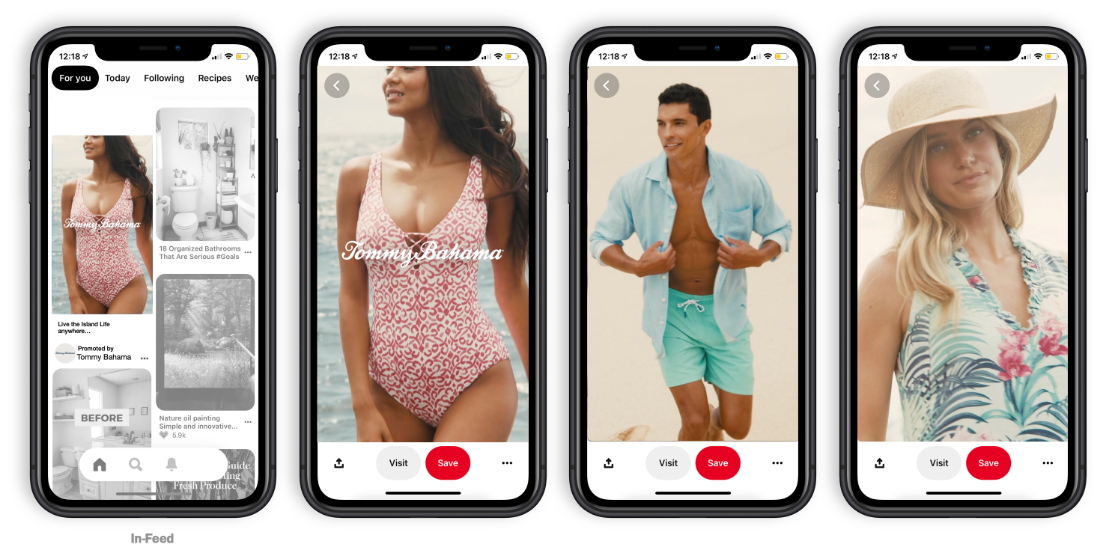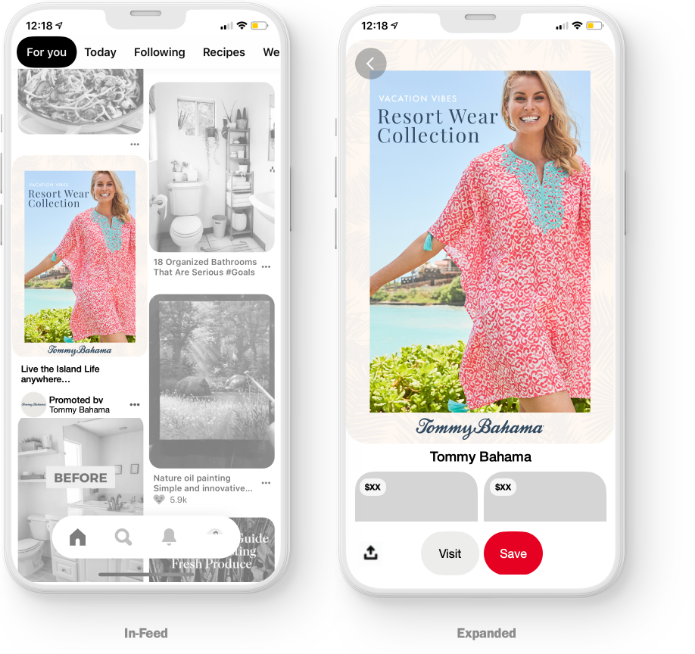
Overview:
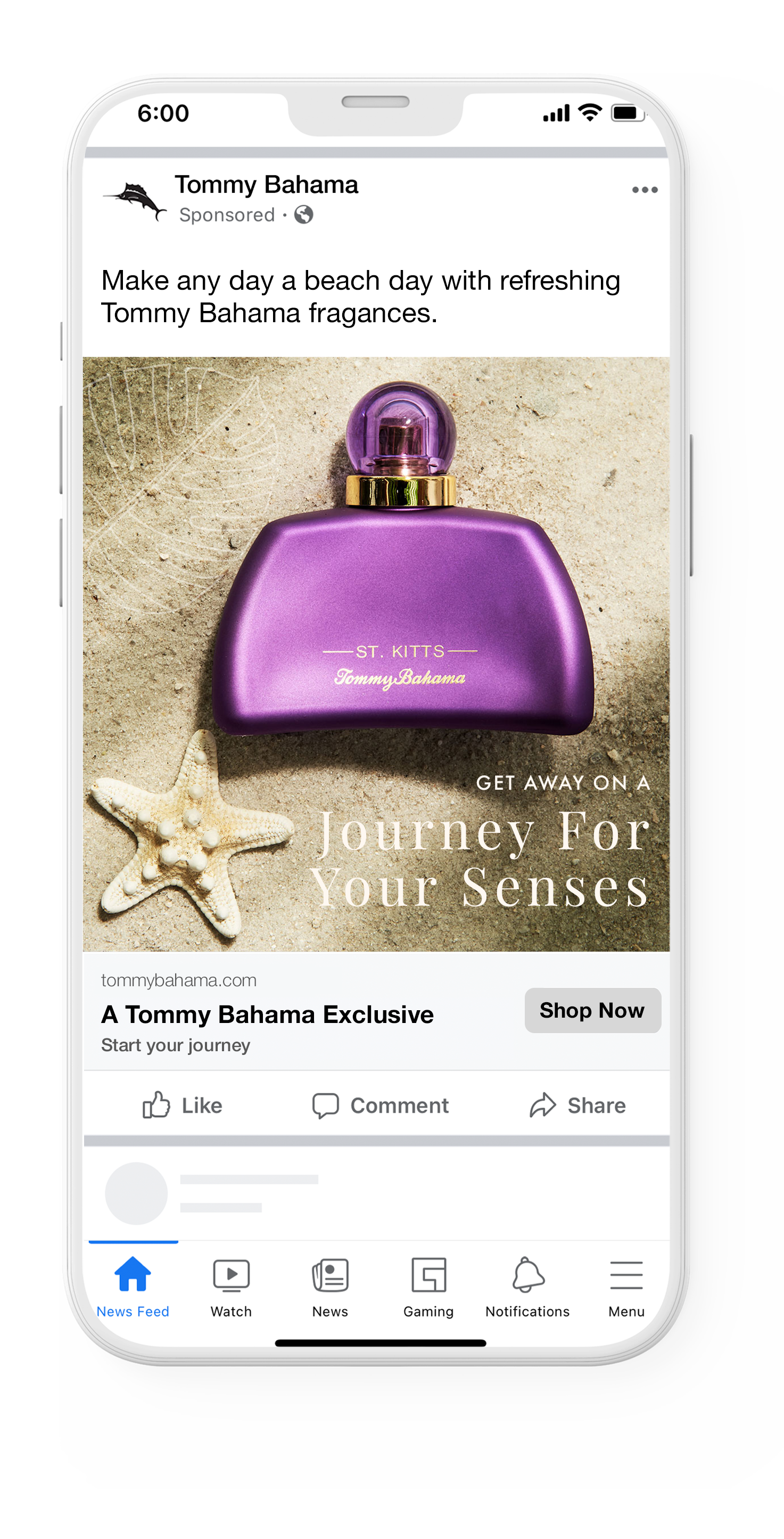
With large audiences and a variety of tools, Facebook and Instagram make a great tag team to help you reach your targets. Your copy should be direct, upbeat, and aspirational to stop thumbs that are scrolling through the noise to find those dopamine hits.

Disadvantages:

Advantages:
Considerations:


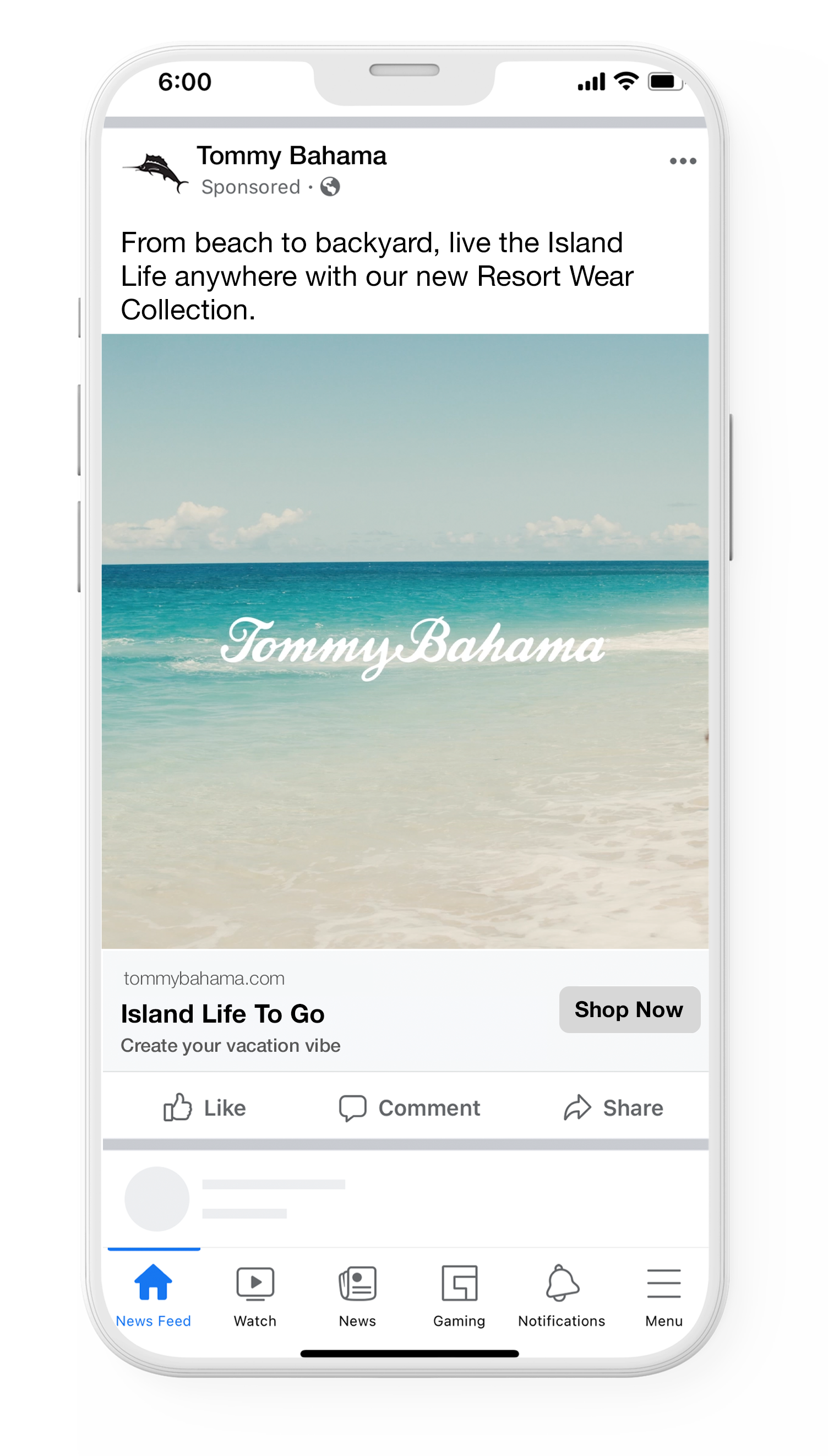
Source Ratio: 1:1
Video Length Recommended: N/A
Captions:
•Primary text: 125 characters
•Headline: 40 characters
•Max number of hashtags: 30
Sound Required: No
Specs: JPG or PNG
Repurpose Capabilities: Pin Collection

Use the recommended aspect ratio for each placement.

Show off your product, service or brand as clearly as possible.

Use high-resolution images to avoid them appearing blurry or pixelated.

Crop tightly around the important part of the image to focus your message.

Avoid too much text on the image itself to improve performance.
Source Ratio: 1:1
Video Length Recommended:
Recommended 15 seconds
Captions:
•Primary text: 125 characters
•Headline 40 characters
•Landing Page URL: Required
Sound Required: No
Specs:
•File type: JPG or PNG
•Video File Type: MP4, MOV, GIF
Nuances:
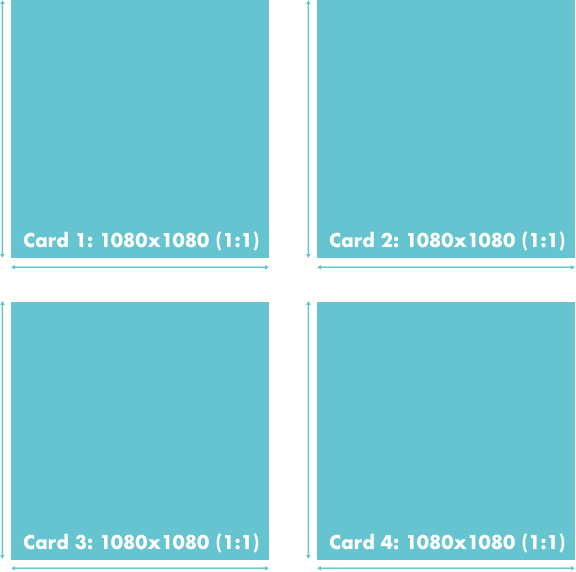
•Number of Carousel Cards: 2 to 10.
•Each card can have its own link.
•Can be image or video.
Tell a story through a sequence of images or one large panorama.

Utilize thumb-stopping creative by displaying content that will evoke an emotional response.

Imply continuation by teasing better things are to come (visually or with copy) on your first frame to keep audiences engaged throughout the story.

Develop creative visual consistency (copy, colors, lighting, etc.) to keep audiences engaged in the story and to help them remember your brand.

Get people to act by involving them in the story and making your ask visually prominent.
Avoid too much text on image itself. Images with less than 20% text perform better, though there is no limit on the amount of text that you can put in your ad image.
Source Ratio: 1:1 or 4:5
Video Length Recommended:
Recommended 60 seconds or less
Captions:
•Primary text: 125 characters
•Headline: 40 characters
•Description: 30 characters
Sound Required: No
Specs:
•Video File Type: MP4, MOV, GIF
Nuances:
•Reddit promoted post
•Pin Collection

Tell your story in :15 or less to keep audiences engaged.

Establish brand awareness and reveal the most compelling part of your story in the first 3 seconds to grab attention.
Use vertical and square formatted video to engage mobile users.

Use text and graphics as the primary forms of communication. Don’t rely on audio, as most users scroll with sound off.

For social videos, hard-cut transitions are both more efficient and more effective than dissolves or fades.
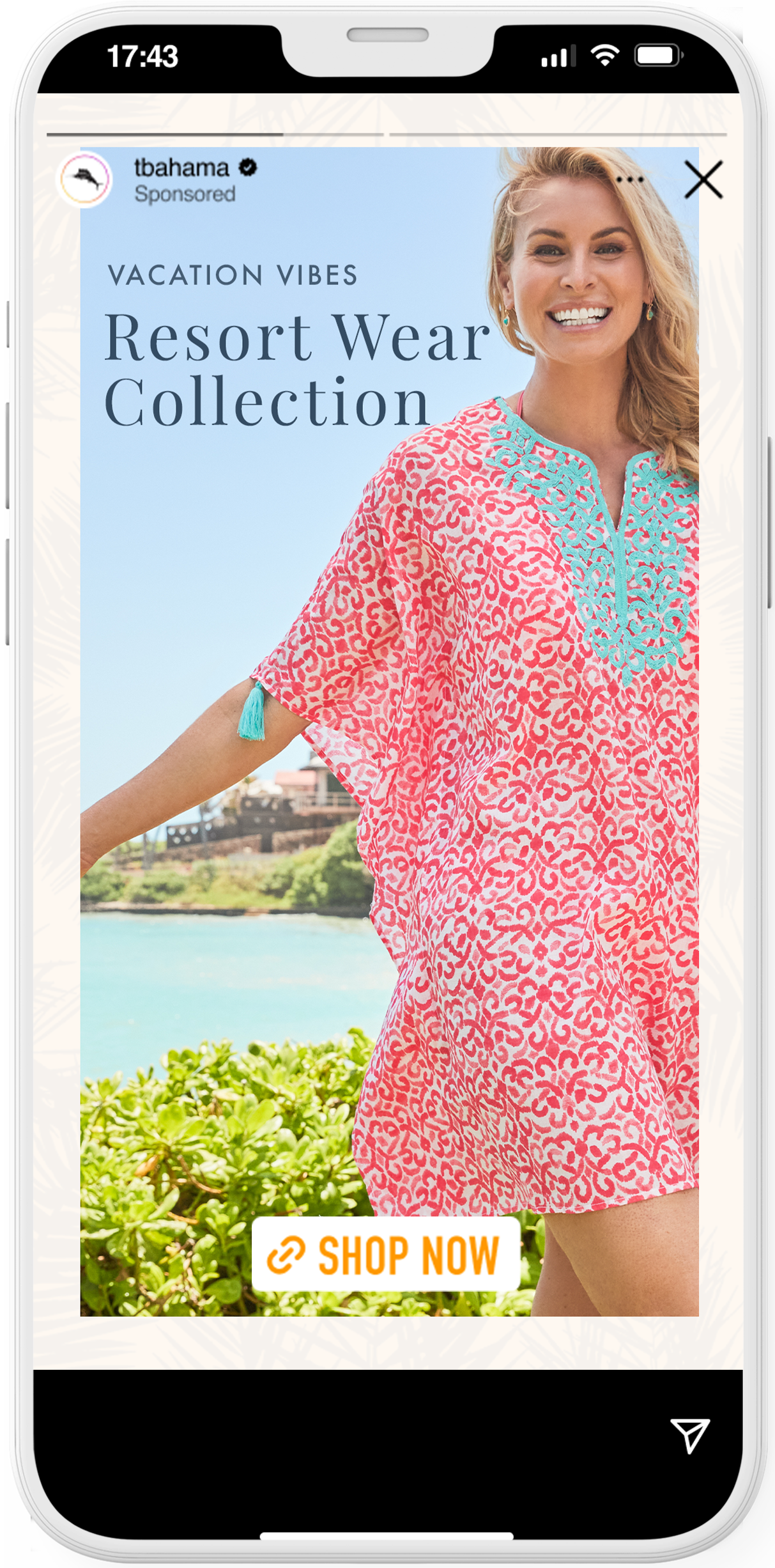
Source Ratio: 9:16
Video Length Recommended:
Recommended 60 seconds or less
Captions:
•Primary text: 125 characters (not usually
needed unless story will run on Reels as well)
Sound Required: No
Specs:
•Image File Type: JPG or PNG
Nuances:
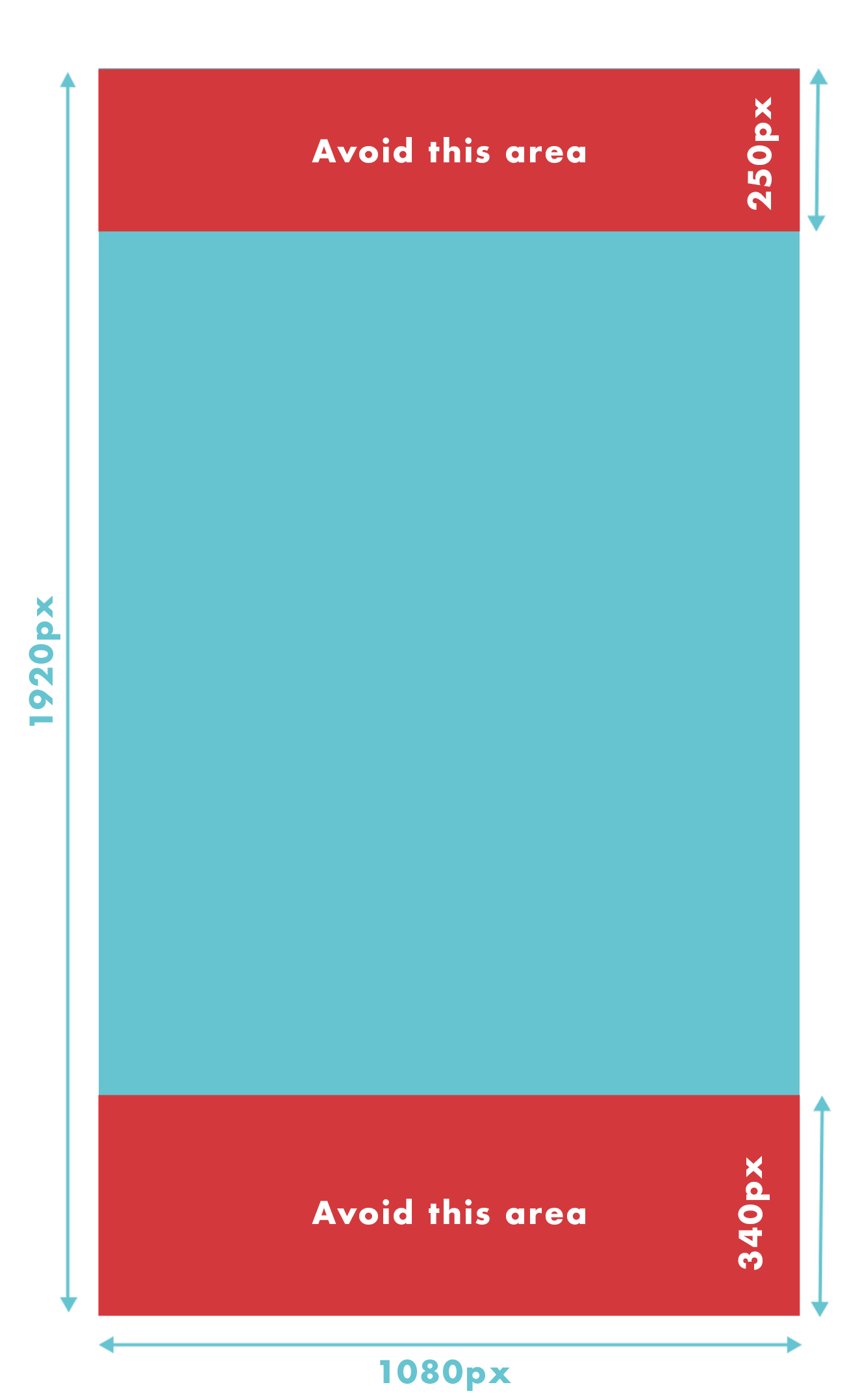
•Avoid adding “swipe up” copy or visual prompts to your creative assets.* If you want to make sure that your logo, product or copy will not be covered by the link sticker, continue to follow the safe zone recommendation and leave roughly 14% (250 pixels) around the edge of your ad free from text, logos, and other creative elements.
•If you want to make sure that your logo, product or copy will not be covered by the link sticker, consider leaving roughly 14% (250 pixels) of the top and 20% (340 pixels) of the bottom of the video free from text, logos, or other key creative elements to avoid covering them with the profile icon or call-to-action.
Repurpose Capabilities:
•Snap Static Story
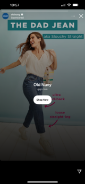
*Adding a “swipe up” can prompt this ending frame on your creative. Avoid placing important creative in the middle. It may get covered by a “Shop Now” CTA.
Source Ratio: 9:16
Video Length Recommended: Recommended 60 seconds or less
Captions:
•Primary text: 125 characters (not usually
needed unless story will run on Reels as well)
Sound Required: No
Specs:
Video File Type: MP4, MOV, GIF
Nuances:
•Avoid adding “swipe up” copy or visual prompts to your creative assets.* If you want to make sure that your logo, product or copy will not be covered by the link sticker, continue to follow the safe zone recommendation and leave roughly 14% (250 pixels) around the edge of your ad free from text, logos, and other creative elements.
•If you want to make sure that your logo, product or copy will not be covered by the link sticker, consider leaving roughly 14% (250 pixels) of the top and 20% (340 pixels) of the bottom of the video free from text, logos, or other key creative elements to avoid covering them with the profile icon or call-to-action.
Repurpose Capabilities:
•Animated Pin
•Snap Story
•Reels (if 30 seconds or less)
•Pin Collection
*Adding a “swipe up” can prompt this ending frame on your creative. Avoid placing important creative in the middle. It may get covered by a “Shop Now” CTA.
Avoid using too much text on image itself. Images with less than 20% text perform better.
Grab attention with thumb-stopping content in the first frame and keep the pace energetic throughout.
Create for stories first by designing it full-screen vertical.
Use concise scenes for a fast pace and consumable content.
Image ads on Instagram Stories will show for 5 seconds or until the user swipes out of story.
Use people to tell a brand story. Use product for conversion.

Place logos or brand elements at the beginning of your ad.
Mix and match video and static to maximize performance.

Limit price inclusion to drive purchases and brand awareness.

Use motion, even when using static images.

Create call-to-action focal points to drive conversion.

Use audio or music to enhance messaging and performance.
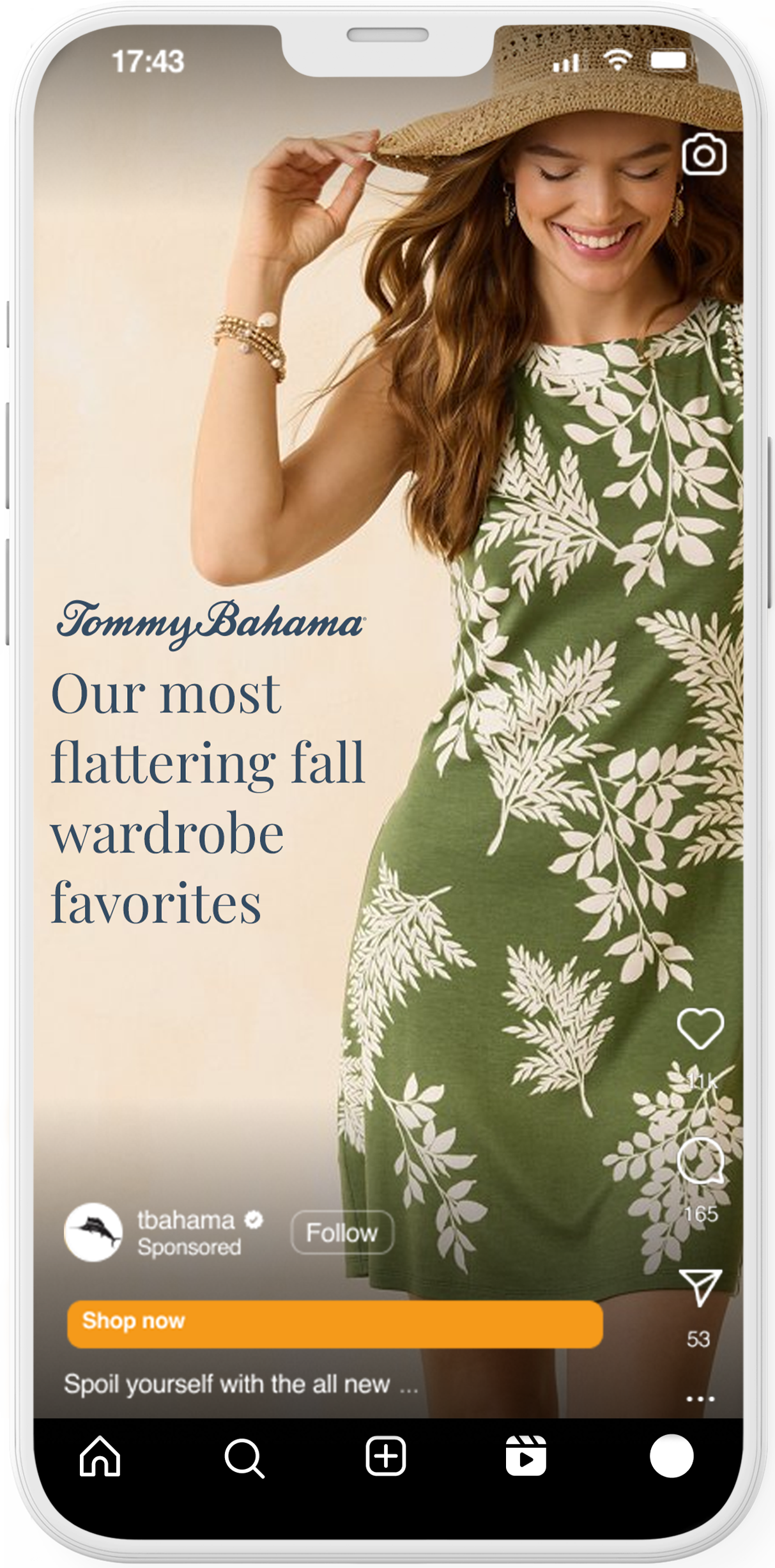
Source Ratio: 9:16
Video Length Recommended: Recommended 60 seconds or less
Captions:
•Primary text: 72 characters
Sound Required: Optional, but strongly recommended
Specs:
• Video File Type: MP4, MOV
Nuances:
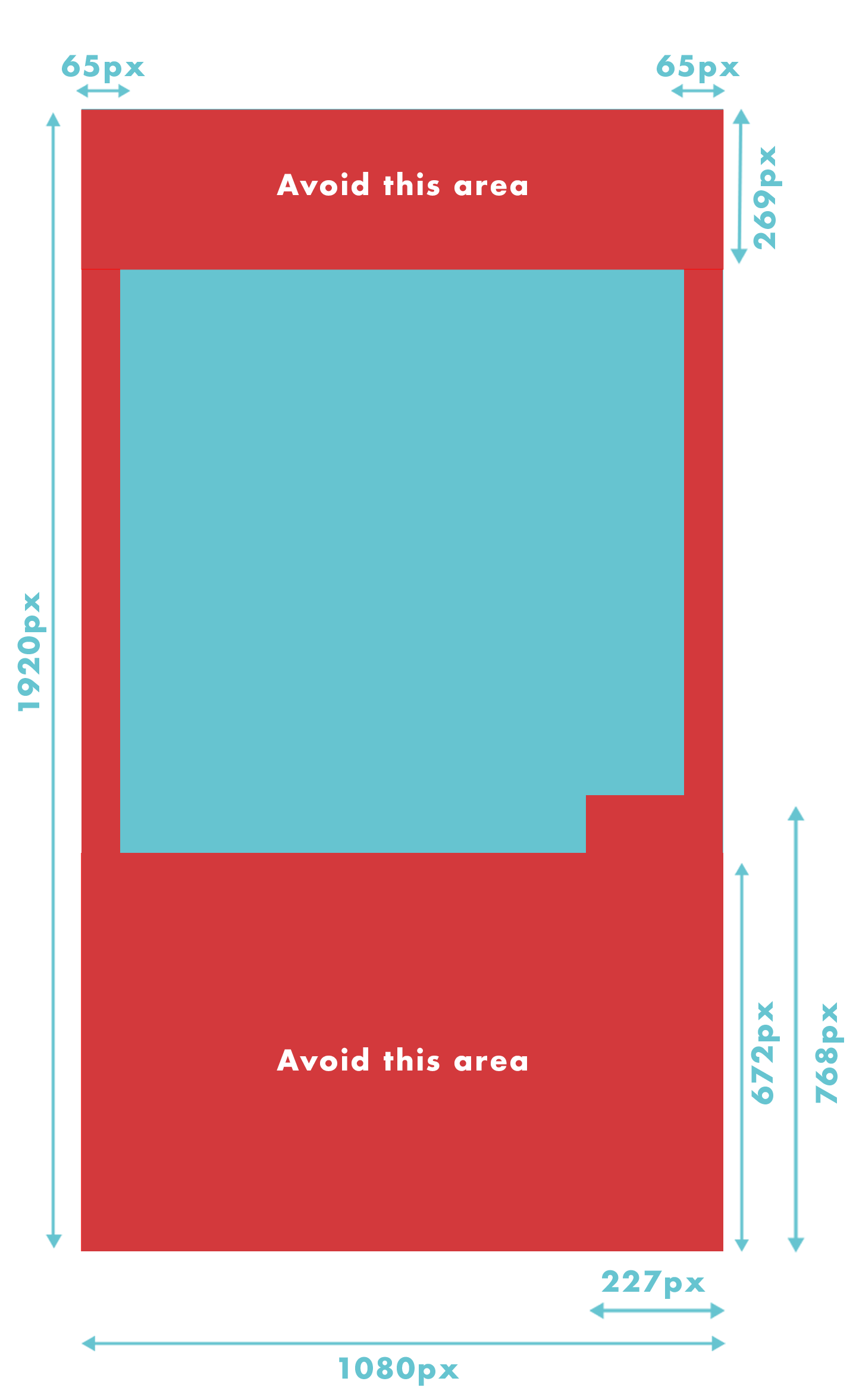
• If you want to make sure that your logo, product or copy will not be covered by the link sticker, consider leaving roughly 14% of the top (269px), 35% of the bottom (672px), and 6% on each side (65px) of your asset free from text, logos, or other key creative elements to avoid covering them with the UI.
Repurpose Capabilities:
•Animated Meta Story
•Animated Snap Story
Avoid using too much text on image itself. Images with less than 20% text perform better.
Grab attention with thumb-stopping content in the first frame and keep the pace energetic throughout.
Create for stories first by designing it full-screen vertical.
Use concise scenes to for a fast pace and consumable content.
Use people to tell a brand story. Use product for conversion.
Use audio or music to enhance messaging and performance.
Place logos or brand elements at the beginning of your ad.
Mix and match video and static to maximize performance.

Use a modern, clean font in a large enough type size and a contrasting hue.
Use motion, even when using static images.
Create call-to-action focal points to drive conversion.

Don’t communicate too many messages because ads usually only have one call to action.
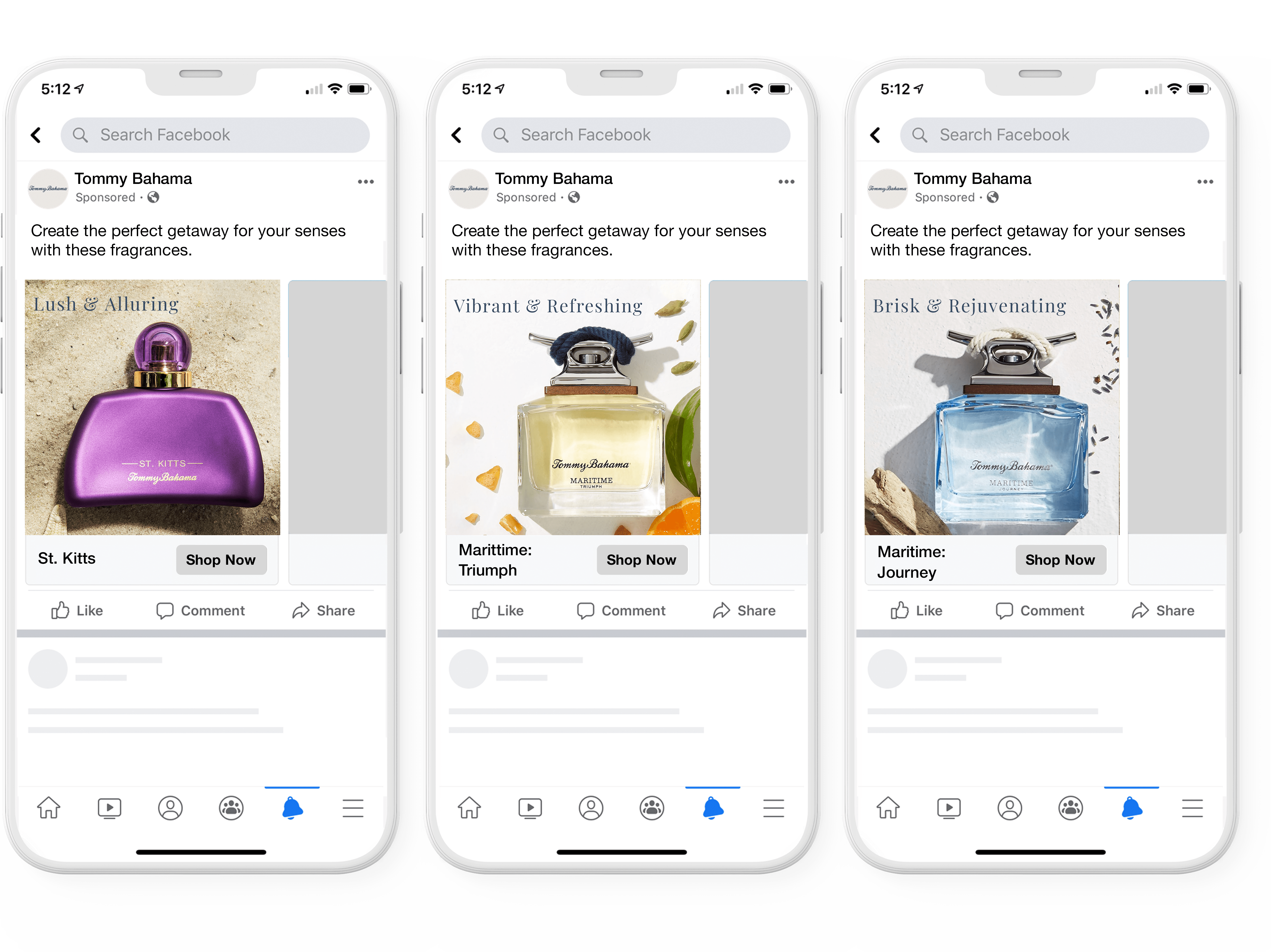
Source Ratio: 1:1
Video Length Recommended: 15 seconds
Captions:
•Primary text: 125 characters
•Headline: 40 characters
•Landing Page URL: Required
Sound Required: No
Specs:
•Image File Type: JPG or PNG
•Video File Type: MP4, MOV, GIF
•Image Max File Size: 30MB
•Video Max File Size: 4GB
Nuances: Requires SKU list, There is no CTA
Additional Notes:
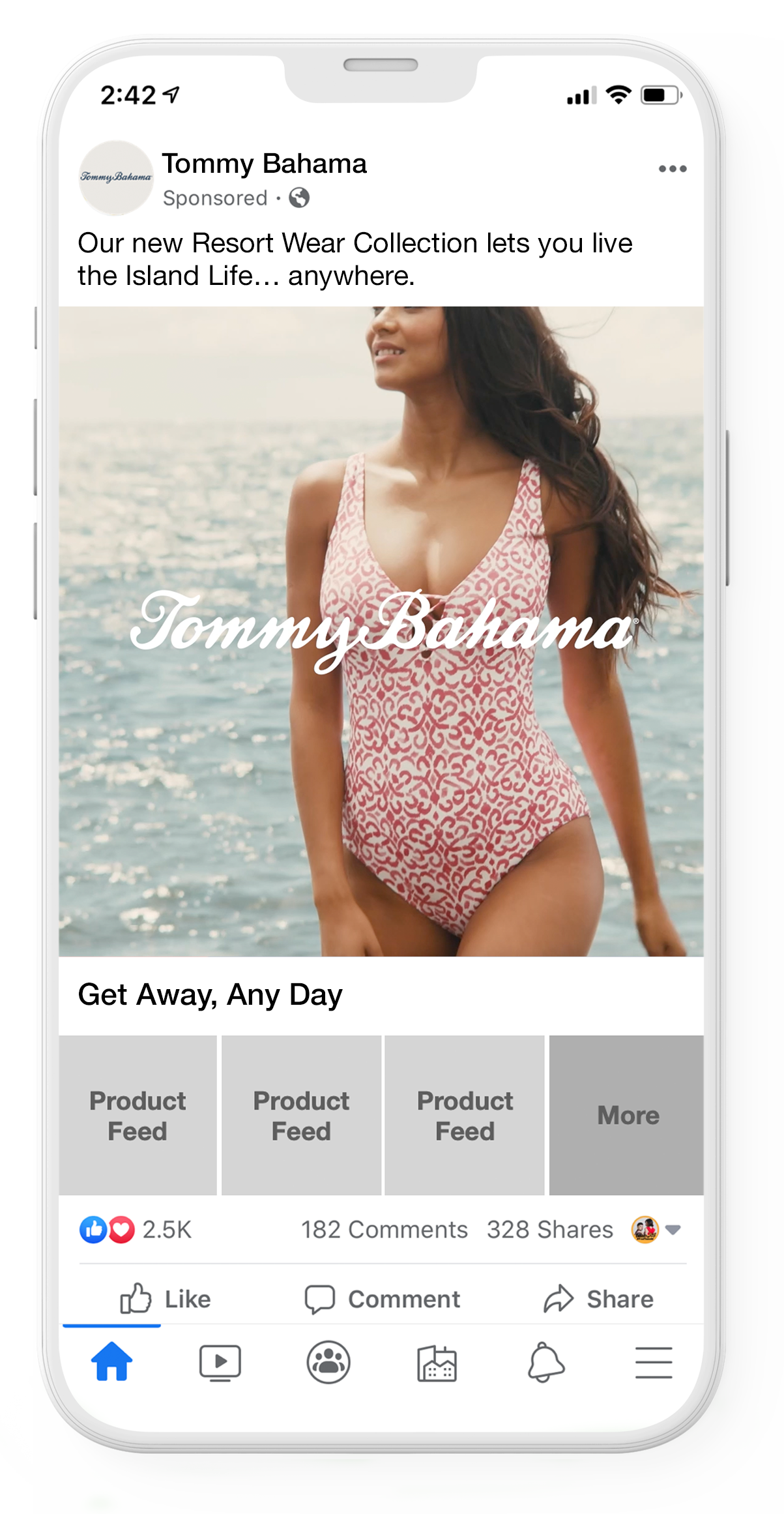
•Includes a cover image or video followed by 3 product images.
•When someone taps on a Collection Ad, it takes them to the instant experience - a full-screen landing page.
•Include a large product set to increase the variety shown in your ad. When you pair a catalog with your collection ad, you’ll need a minimum of 4 products.
•A large product set allows Facebook to select the most relevant products from your product set to show, which encourages people to explore more of the products you offer on your website or app.
•Additionally, when you run out of stock of a certain product, your set automatically updates to show people items currently in stock.
Choose a cover image/video that will compel audiences to engage with the story.

You can either choose products to feature yourself or you can let Facebook choose dynamically for you.
Use more than 50 product sets to encourage audiences to explore beyond your ad.

Show lifestyle photos and send users to a destination with plenty of products to explore.

Add a URL parameter to track the number of people clicking to your website.
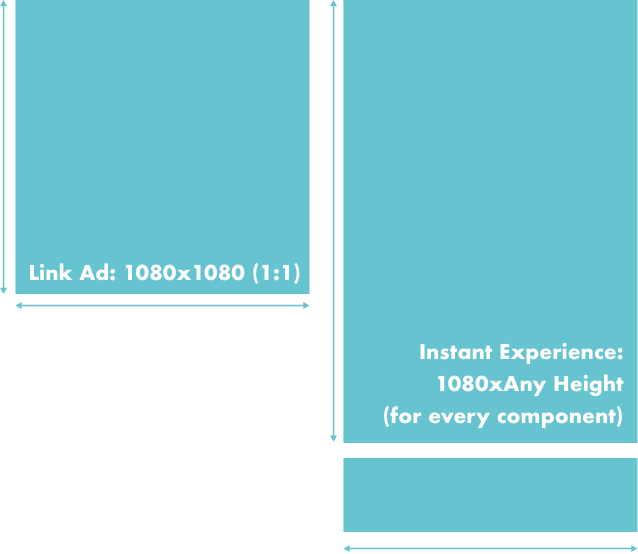
Source Ratio: In-feed asset should be 1:1 aspect ratio and can be static or video/animation 3-15s
Video Length Recommended: There is no limit to the number of videos each instant experience can support, but their combined duration cannot exceed 2 minutes.
Captions:
•Primary text: 125 characters
•Headline: 40 characters
Sound Required: No
Specs:
•Image File Type: JPG or PNG
•Video File Type: MP4, MOV Videos should be a minimum 720p. Higher resolutions will improve quality.
Nuances:
•Avoid placing 2 videos on the screen at the same time. If 2 videos are on the screen, only the first will play.
•Up to 20 images are supported.
•Avoid using the tilt-to-pan feature. Although it works on FB, it does not work on IG which means we couldn’t run in both placements.
•Carousels within the IX must all be static images.

Instant Experiences start with a newsfeed ad. So begin with a strong opening to encourage users to see more.
Place your logo or name of the brand on first screen to show how the ad and the Instant Experience are connected.

Choose a template that best aligns with your business goals to speed up the ad creation process.

Highlight the message’s main point throughout the experience.

Combine 5-7 components (ie. images, videos, text, etc.) to keep your audience’s attention.
Provide opportunities for your audience to take the next step with call-to-action buttons or imagery linking to your website.

Make the experience personal by giving audiences control through shorter videos and carousels with interactive features.
Don’t include anything in the creative that looks like a clickable button or swipe up.
Overview:
Have you ever tried to yell something to someone while you’re driving by in your car? That’s exactly what a display ad is like.
Disadvantages:
Eye-tracking studies have proven that people are so disenchanted with display ads, their brains have become conditioned to not even look in the spots on the screen where these ads are usually placed.
Advantages:
It’s still an effective way to get your message in as many places as possible.
Considerations:
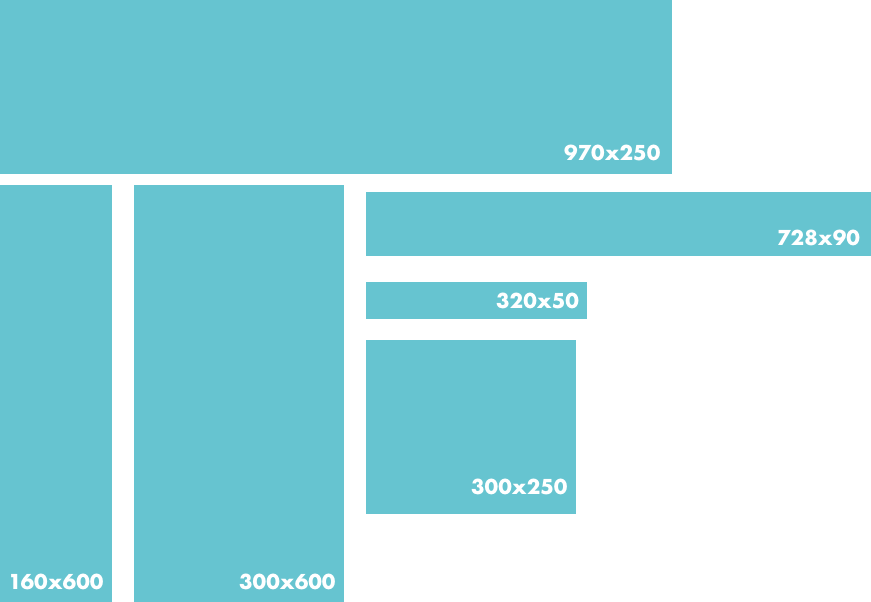
Source Ratio: 970x66, 728x90,
300x250, 300x600, 160x600, 320x50
Video Length Recommended:
:15sec, looping 3x
Sound Required: No
Specs:
•Image File Type: JPG
•Animated File Type: HTML5
Nuances:
•Content featured varies by size and
scale of ad unit.

Use banner ads in all sizes.
Include a product image.

Design banner ads for mobile first.
Include a call-to-action button.

Export files 2X size through HTML 5 language.
Use brand colors to get brand recognition immediately.

Keep file size under 100K for both static and animated imagery.

Make sure ad visually matches your website.
Have your logo clearly visible and prominently displayed.

Use borders when using a white background.

Use a clear and legible font.
Have one clear message.

Source Ratio: 16:9 or 4:3, 720p or below is required, the optional inclusion of 1080p is recommended.
Video Length: Up to 6 minutes (skippable ads), 15s (non-skippable ads), 6 secs (bumper ads), 20s (non-skippable ads (EMEA, Mexico, India, Malaysia, and Singapore only)
In-Stream Ad Copy:
Subtitles/Captions: (For accessibility) They can be added manually or automatically with YouTube speech recognition.
Sound Required: Yes, MP3 or AAC preferred
Specs: 1080p HD broadcast format & DVD-compliant MPEG-2 with a .MPG extension. MPEG-4 is also accepted.
Nuances:
Frame rates are set at 24, 25 or 30 frames per second. Please do not use resampling techniques since they can cause images to shudder and often result in lower quality video.

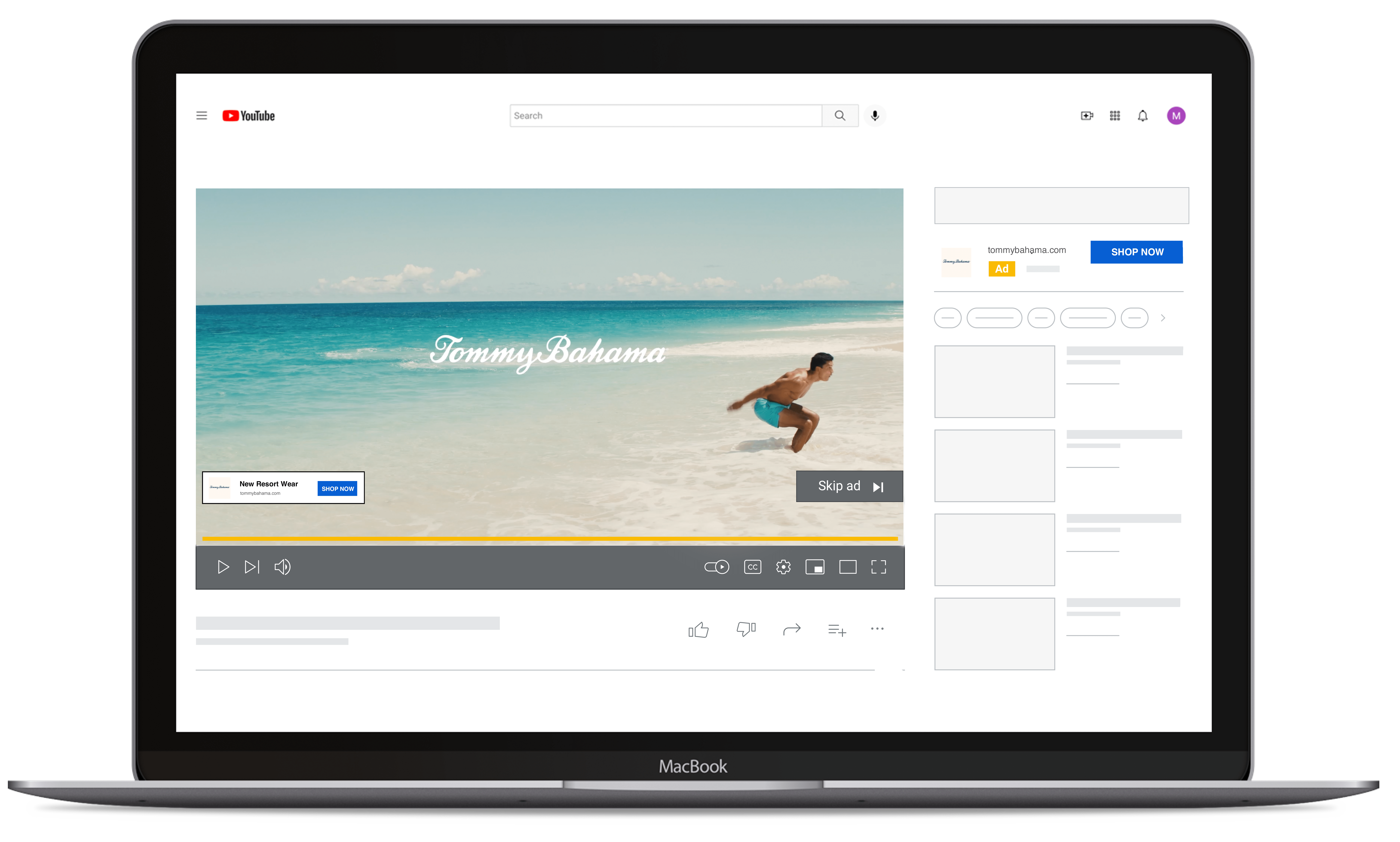
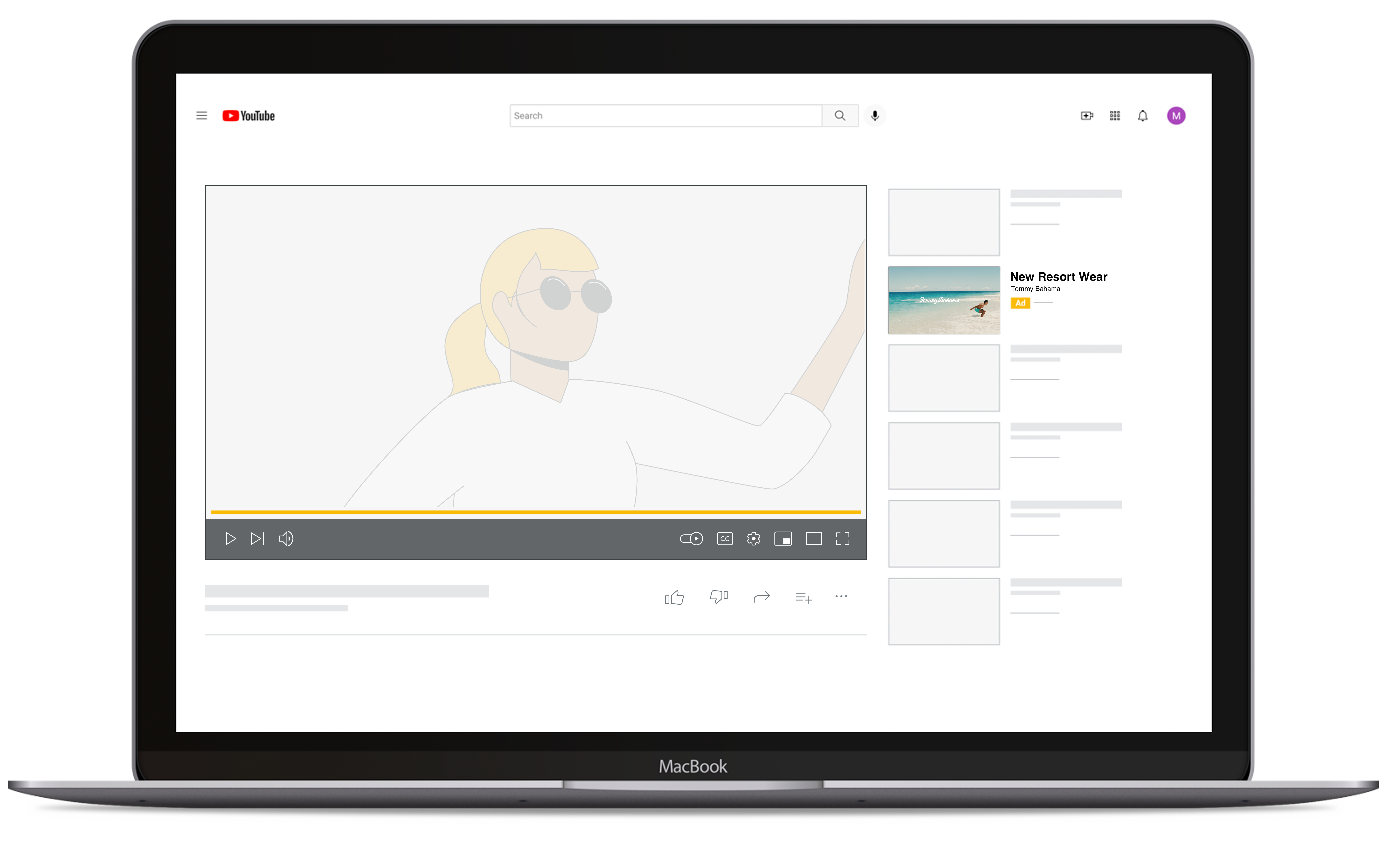
When users view YouTube on a desktop, a Companion Banner can be displayed next to your ad. Companion Banners only show on desktop — not on mobile, TV, or other devices.
You can choose to have an auto-generated companion banner (based on info from your YouTube channel) or upload a 300x60 JPEG, GIF, or PNG (150 KB maximum).
File Types: JPEG, GIF, or PNG
Resolution: 300px x 60px
GIF Frame Rate: Less than 5 frames per second
Maximum Size: 150 KB
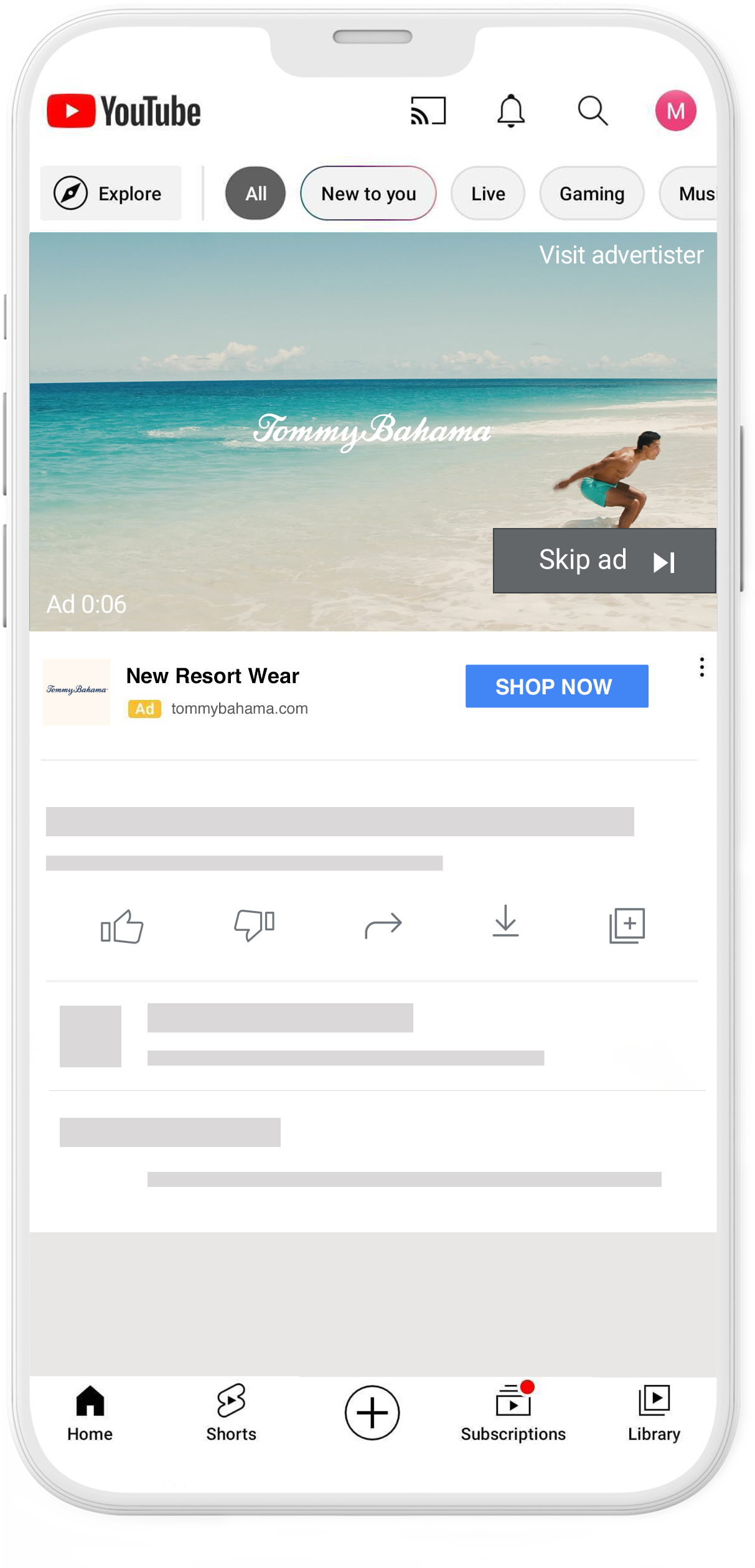
Skippable in-stream ads play before, during, or after other videos on YouTube and websites and apps on Google video partners. After 5 seconds, the viewer has the option to skip the ad and continue watching the video.
Have a call-to-action that asks viewers to do something specific, perhaps to respond to an offer.
Especially on shorter videos, hard-cut transitions are both more efficient and effective than dissolves or fades.
Optimize your ads for mobile-first, with bright footage and big text/graphics for small, dim screens. This works great for larger screens, too.
Introduce your brand in the first 2 seconds to help viewers remember you.

Hook attention from the start by front-loading your message and using fast pacing, rhythm, and cuts throughout to hold attention.
Source Ratio: 16:9 or 4:3, 720p or below is required, the optional inclusion of 1080p is recommended.
Video Length: Up to 6 minutes (skippable ads), 15s (non-skippable ads), 6 secs (bumper ads), 20s (non-skippable ads (EMEA, Mexico, India, Malaysia, and Singapore only)
In-Stream Ad Copy:
Subtitles/Captions: (For accessibility) They can be added manually or automatically with YouTube speech recognition.
Sound Required: Yes, MP3 or AAC preferred
Specs: 1080p HD broadcast format as well as DVD-compliant MPEG-2 with a .MPG extension. MPEG-4 is also accepted.
Nuances:
Frame rates are set at 24, 25 or 30 frames per second. Please do not use resampling techniques since they can cause images to shudder and often result in lower quality video.
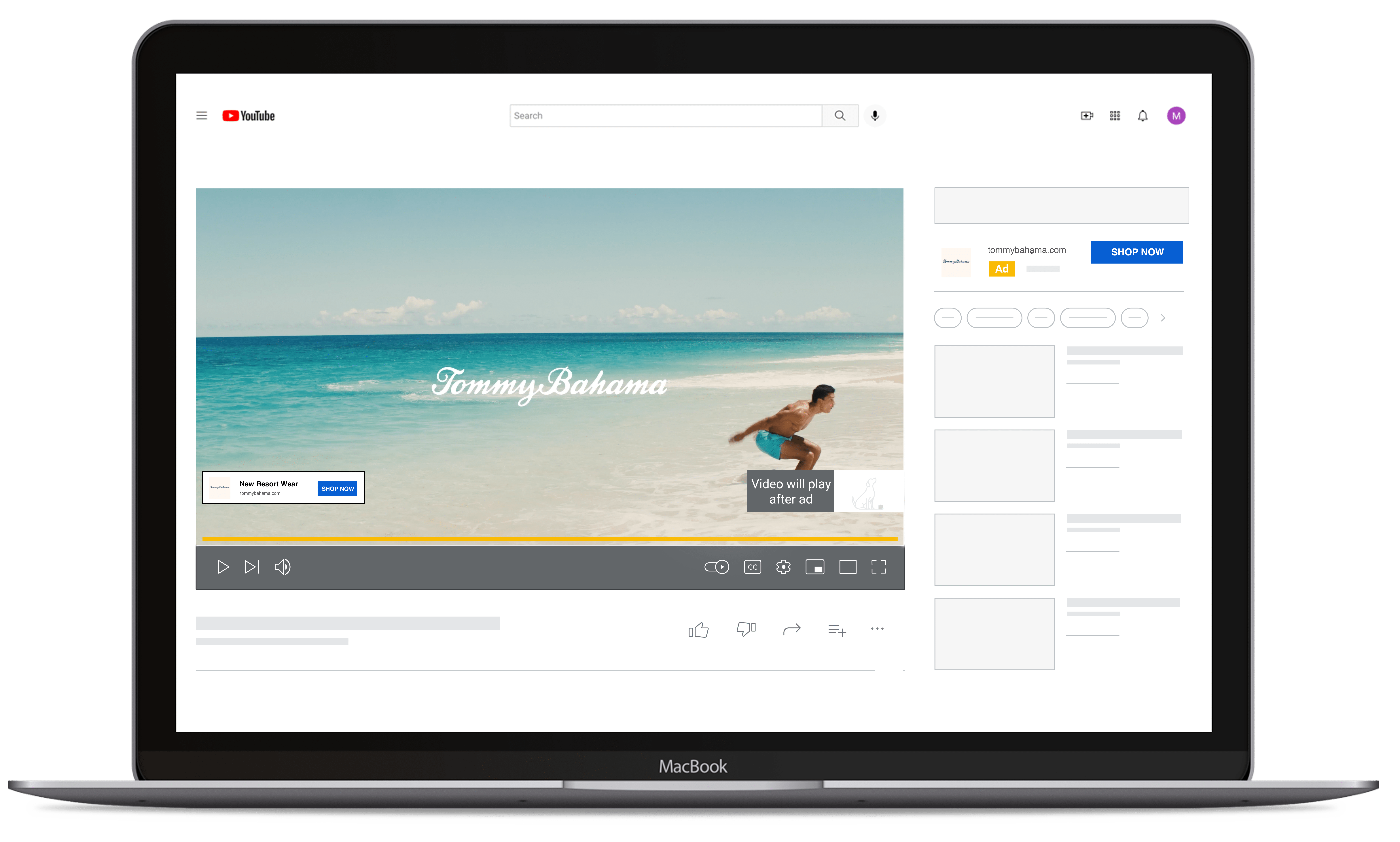
When users view YouTube on a desktop, a Companion Banner can be displayed next to your ad. Companion Banners only show on desktop — not on mobile, TV, or other devices.
You can choose to have an auto-generated companion banner (based on info from your YouTube channel) or upload a 300x60 JPEG, GIF, or PNG (150 KB maximum).
File Types: JPEG, GIF, or PNG
Resolution: 300px x 60px
GIF Frame Rate: Less than 5 frames per second
Maximum Size: 150 KB
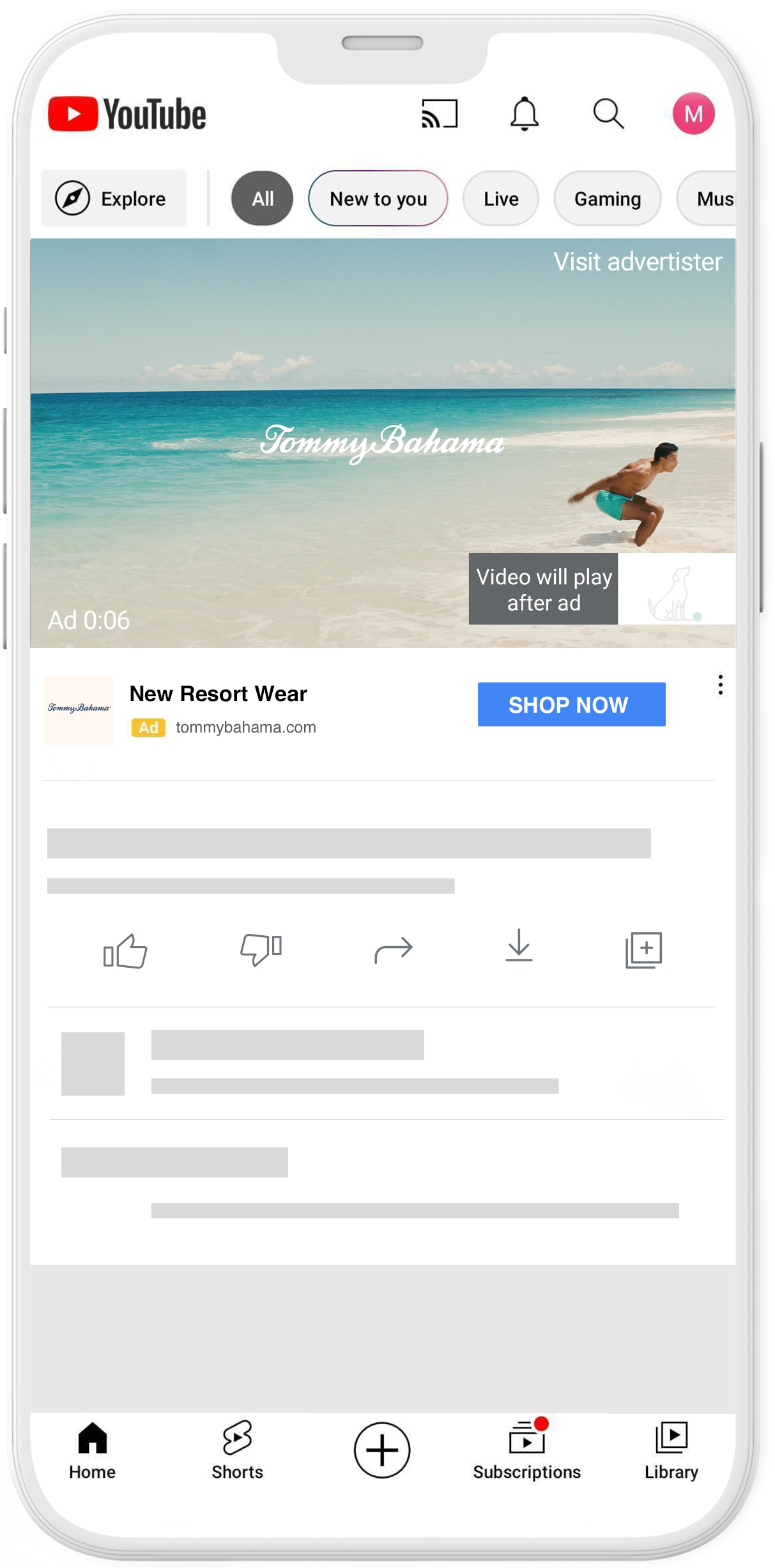
Non-skippable in-stream ads play before, during, or after other videos. Viewers don't have the option to skip the ad. Non-skippable in-stream ads are 15-seconds (or shorter).
Have a call-to-action that asks viewers to do something specific, perhaps to respond to an offer.
Especially on shorter videos, hard-cut transitions are both more efficient and effective than dissolves or fades.
Optimize your ads for mobile-first, with bright footage and big text/graphics for small, dim screens. This works great for larger screens, too.
Introduce your brand in the first 2 seconds to help viewers remember you.
Hook attention from the start by front-loading your message and using fast pacing, rhythm, and cuts throughout to hold attention.

Source Ratio: 16:9 or 4:3, 720p or below is required, the optional inclusion of 1080p is recommended.
Video Length: Up to 6 minutes (skippable ads), 15s (non-skippable ads), 6 secs (bumper ads), 20s (non-skippable ads (EMEA, Mexico, India, Malaysia, and Singapore only)
In-Feed Ad Copy:
Thumbnail: A small preview of your video that gives viewers an idea of the video’s content. When you create the ad, you can choose from 4 thumbnails from the video.
Subtitles/Captions: (For accessibility) They can be added manually or automatically with YouTube speech recognition.
Sound Required: Yes, MP3 or AAC preferred
Specs: 1080p HD broadcast format as well as DVD-compliant MPEG-2 with a .MPG extension. MPEG-4 is also accepted.
Nuances:
Frame rates are set at 24, 25 or 30 frames per second. Please do not use resampling techniques since they can cause images to shudder and often result in lower quality video.
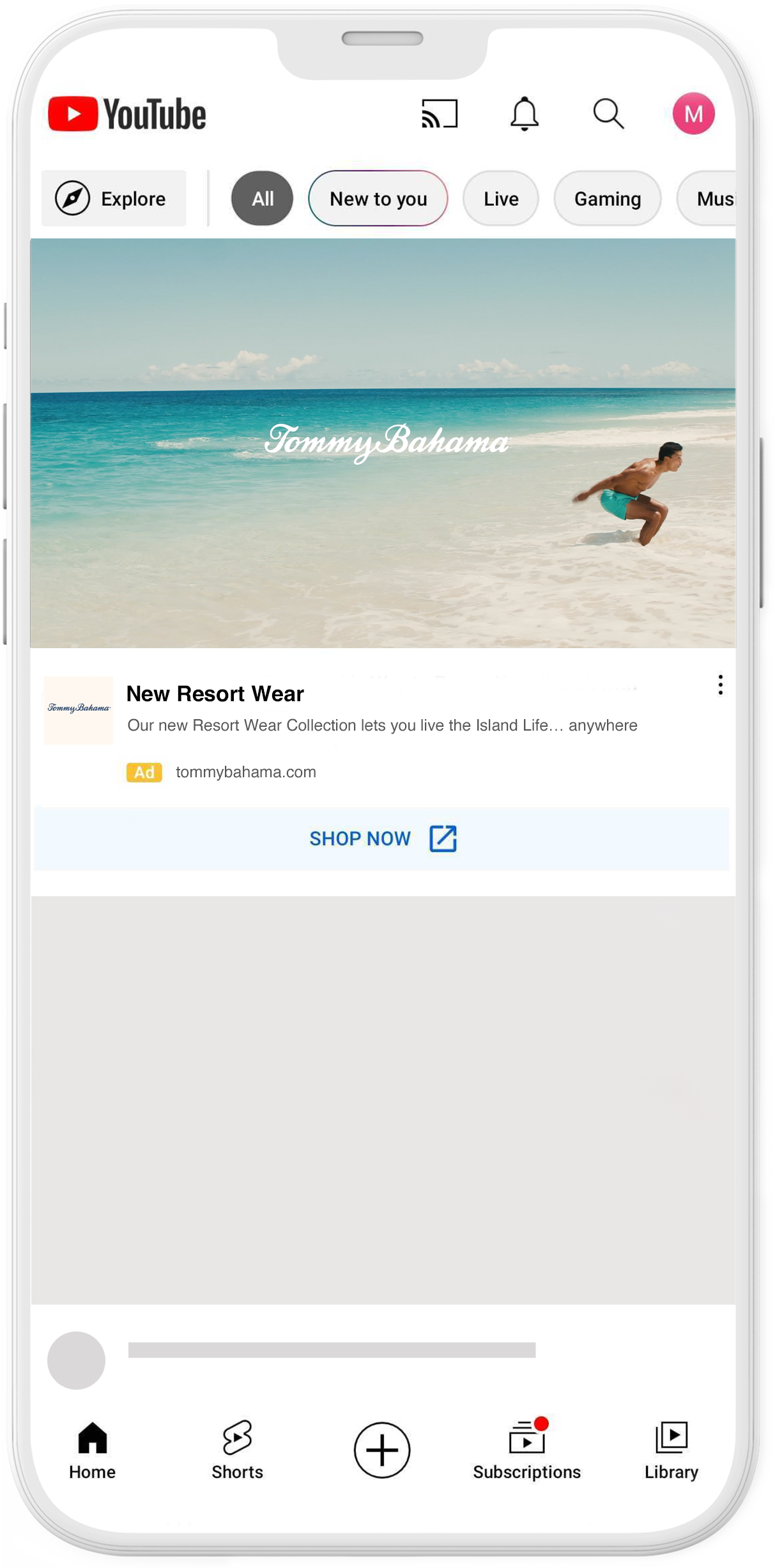
In-feed video ads place your brand, product, or service alongside YouTube content that is likely to be viewed by your target audience. In-feed video ads appear in YouTube search results, YouTube watch next, and the YouTube app Home feed.
Have a call-to-action that asks viewers to do something specific, perhaps to respond to an offer.
Especially on shorter videos, hard-cut transitions are both more efficient and effective than dissolves or fades.
Optimize your ads for mobile-first, with bright footage and big text/graphics for small, dim screens. This works great for larger screens, too.
Introduce your brand in the first 2 seconds to help viewers remember you.
Hook attention from the start by front-loading your message and using fast pacing, rhythm, and cuts throughout to hold attention.
Overview:
Think of Pinterest as a search engine for visually oriented people. Users search for a solution to a creative problem and pin what interests them so they can find it later. It’s still growing as the go-to for those seeking creative inspiration.
Disadvantages:
Advantages:
Considerations:

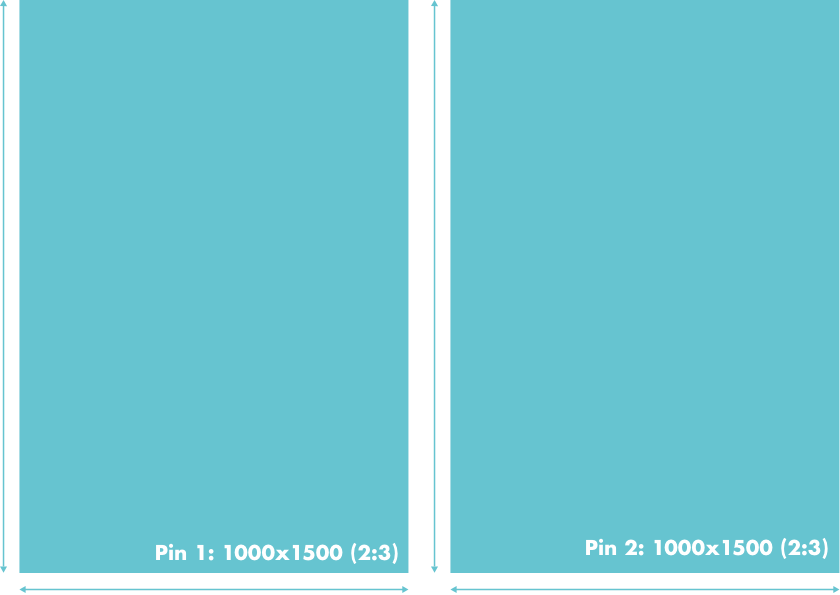
Source Ratio: 2:3 aspect ratio, or 1000x1500 pixels
Captions:
•Title: Up to 100 characters
•Description: Up to 500 characters
Sound Required: No
Specs:•Image File Type: JPG or PNG
Use the vertical format (2:3) ratio.
Add a visible call-to-action.
Use consistent branding.
Showcase the product front-and-center.
Write clear and concise text.
Source Ratio: 1:1 or 2:3
Captions:
•Title: Up to 100 characters
•Description: Up to 500 characters
Specs:
•Image File Type: JPG or PNG
Nuances:
•2-5 images per carousel. Can only be
static images (no animation).
Use 2-5 images per carousel (PNG or JPEG).
The character count for titles is up to 100 characters, but it will cut off at around 40 in the feed.
These images can have an aspect ratio of 1:1 or 2:3.
The character count for the description is up to 500 characters.This is mainly for SEO, and the first 50-60 are the most important.
The maximum file size per image is 32MB.
The logo is required in every frame. So consider adding a tasteful frame or border to help it stand out.

Source Ratio: Recommend making your videos square (1:1) or vertical (2:3 or 9:16)
Video Length Recommended: Recommended 6-10 seconds
Captions:
•Pin Title: up to 100 characters
•Description: Enter up to 500 characters
Sound Required: No
Specs: .mp4, .mov, .m4v
Mix imagery and multiple products to take audiences from inspiration to action.
Stand out with callouts aligned to key moments.
Design for mobile, but think vertically.
Make sure your link takes them somewhere relevant to the Pin.
Design for sound off, but delight with sound on.

Source Ratio: Static Hero Image -1:1 or 2:3
Video Hero Creative - 1:1, 2:3, or 9:16
Captions:
•Pin Title: up to 100 characters
•Description: Enter up to 500 characters
Sound Required: No
Specs: PNG or JPEG
Nuances:
•Must have 1 hero creative. Minimum of 3 secondary creatives recommended.
•Maximum of 24 secondary creatives.
•Requires a SKU list
Mix imagery and multiple products to take audiences from inspiration to action.
Stand out with callouts aligned to key moments.
Design for mobile, but think vertically.
Make sure your link takes them somewhere relevant to the Pin.


.jpg)


.jpg)
.jpg)
.png)
.png)